Best Claude Skills for B2B Tech Sales Teams

Best Claude Skills for B2B Tech Sales Teams
Updated November 2026. Which Claude skills are worth installing for a B2B tech sales team, where they come from, how to set them up and where to draw the line.
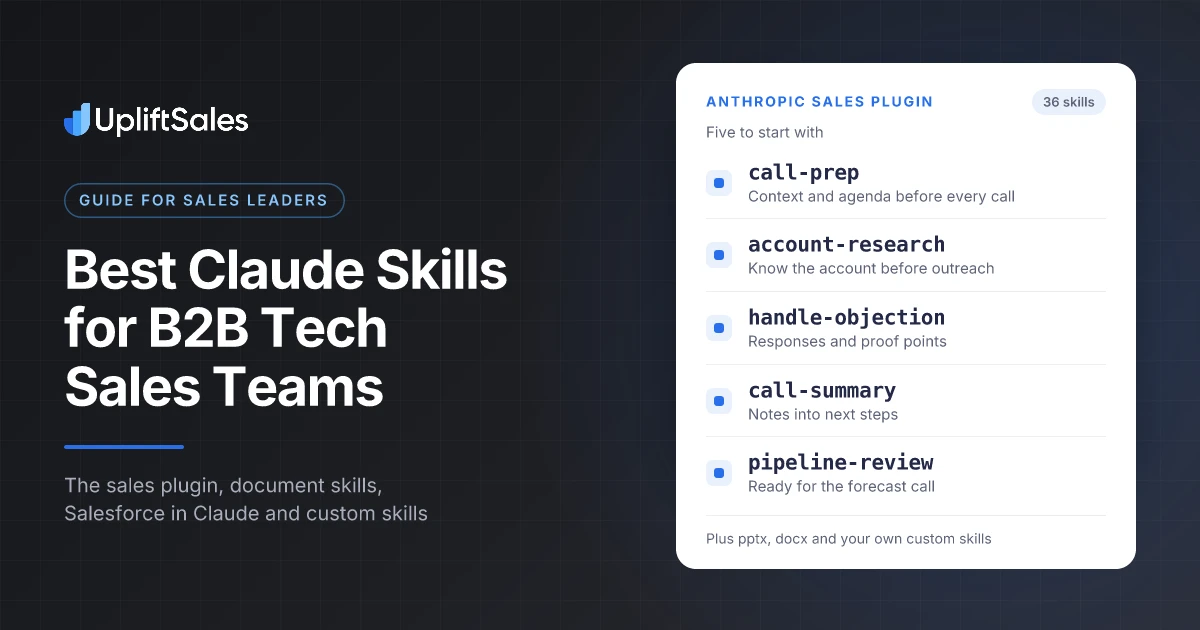
The best Claude skills for sales teams right now are call-prep, account-research, handle-objection, call-summary and pipeline-review from Anthropic's open-source sales plugin, the pptx and docx document skills for decks and proposals, and Salesforce in Claude if you run Sales Cloud. The skills that make the biggest difference, though, are the custom ones you write yourself: your ICP, your qualification rules and your objection library.
A skill is a written-down way of doing one job. Claude picks it up on its own whenever a task matches, so call prep, account research and deal reviews get done the same way every time, by every rep, instead of depending on who wrote the best prompt.
I'm Jamie Partridge, founder of Uplift Sales. We run phone-led SDR programmes for B2B technology companies across Australia and New Zealand, so I care about anything that gives callers more time on the phone and less time on admin. Every claim below links to its original source so you can check it yourself.
The short answer
| Skill | Source | Best for |
|---|---|---|
| call-prep | Anthropic sales plugin | Account context, attendee research and an agenda before every call |
| account-research | Anthropic sales plugin | Researching a target account before outreach |
| handle-objection | Anthropic sales plugin | Working through a live objection or competitor in a deal |
| call-summary | Anthropic sales plugin | Turning notes or a transcript into a summary and next steps |
| deal-review and pipeline-review | Anthropic sales plugin | Inspecting deals and pipeline before a forecast call |
| pptx and docx | Anthropic document skills | Proposals, QBR decks and business cases |
| Salesforce in Claude (37 skills) | Anthropic and Salesforce | Sales Cloud teams who want Claude to read and update CRM data |
| Your own custom skills | Built by you | ICP, qualification, call scripts and objection library in your words |
If you only do one thing after reading this, install Anthropic's sales plugin, then write one custom skill that captures how your best rep qualifies a deal. Skills sit alongside the rest of your sales tool stack; they don't replace it.
What a Claude skill actually is
Anthropic introduced Agent Skills on 16 October 2025. Their engineering write-up puts it simply: "A skill is a directory containing a SKILL.md file." That file holds instructions, and the folder can also hold scripts and reference material.
Anthropic calls the loading model progressive disclosure:
- At the start, Claude only loads each installed skill's name and description, which is just enough to know when a skill applies.
- When a task matches, Claude reads the full SKILL.md.
- Extra files in the skill folder are read only if Claude decides it needs them.
For a sales team, that means you can install dozens of skills without cluttering Claude's context, and each one only switches on when a rep asks for something it covers, like "prep me for my call with Acme tomorrow". It's the same idea as a good written sales playbook: one agreed way of doing each job, available to everyone.
1. Anthropic's sales plugin (36 skills)
The best starting point is Anthropic's own sales plugin, part of their open-source knowledge-work-plugins repository on GitHub. The README says it helps with "the whole sales day: prepping calls, summarizing and following up, researching accounts, working deals, reviewing pipeline and writing the forecast". Version 2.0 took it from 9 to 36 skills.
You don't need all 36. These are the ones I'd point a B2B tech sales team at first.
Before the call
- account-research and account-context: pull together what you know about a company before outreach. For outbound teams this is the difference between a generic opener and one that shows you've done the work.
- stakeholder-map: lay out who is involved in a deal and where the gaps are. Useful for enterprise deals with several decision makers.
- call-prep: account context, attendee research and a suggested agenda. This is the one most reps will use daily.
Pair call-prep with a framework for what good prep covers and a short list of the questions worth asking, so the output matches how your team actually runs a call.
During and after the call
- handle-objection: its SKILL.md describes working through "a live objection or competitive threat": what's really being said, the response that has worked before and the proof points to use, "grounded in your own win/loss history and customer quotes". It triggers on phrases like "they said we're too expensive" or "[competitor] is in the deal".
- call-summary: turn notes or a pasted transcript into a summary and follow-up.
- draft-outreach: first drafts of emails, written from the research rather than a template.
- log-activity and update-opportunity: keep the CRM current without a rep losing an afternoon to it.
A skill is only as good as the material behind it. If your team hasn't agreed how to answer the common objections, start with the 25 objections we hear most in B2B and build from there.
Pipeline and forecast
- deal-review, deal-signals and deal-slip-scenario: inspect a deal, look for risk and model what happens if it slips.
- pipeline-review, team-pipeline and forecast: prepare for the weekly pipeline meeting and the forecast call.
- crm-hygiene-check: find missing or stale CRM data.
- win-loss-review: look back at closed deals for patterns.
Customers and daily rhythm
- customer-health, renewal-radar and expansion-whitespace: for account managers looking after existing customers.
- daily-briefing, inbox-sweep, end-of-day and weekly-wrap: summaries that bookend a rep's day and week.
Connectors are optional
The README is clear: "Every skill works without any connectors." Without them, the skills work from what you paste or upload, such as notes, a transcript or a pipeline export, and "a skill says plainly what it used and what it could not see". Connecting tools gives them more to work with. The README lists:
- CRM: HubSpot, Close, Salesforce
- Email and calendar: Gmail, Google Calendar, Calendly, Microsoft 365
- Call recorder: Gong, Fireflies, Zoom, Otter.ai
- Data enrichment: Clay, ZoomInfo, Apollo, Lusha, Crunchbase
- Chat: Slack, Microsoft Teams
How to install it
The plugin is designed primarily for Cowork, Anthropic's agentic desktop app, and also works in Claude Code. In Claude Code, the README gives two commands:
claude plugin marketplace add anthropics/knowledge-work-plugins
claude plugin install sales@knowledge-work-plugins
The plugin also includes a setup skill alongside the 35 working skills.
Running outbound without an SDR team? Skills can prep the call, but someone still has to make it. See how Uplift Sales runs phone-led outbound for B2B tech.
2. The document skills (pptx, docx, xlsx, pdf)
Anthropic's public skills repository includes the four document skills that power Claude's file creation: pptx, docx, xlsx and pdf. They're open source under Apache 2.0, and the README notes that the example skills in the repo are "all already available to paid plans in Claude.ai".
For sales teams they cover a lot of the work that eats a rep's week:
- pptx: QBR decks, pitch decks tailored to an account, and slides for internal deal reviews.
- docx: proposals, business cases, mutual action plans and RFP responses.
- xlsx: ROI models, pricing scenarios and pipeline exports that need cleaning up.
- pdf: reading RFP documents and filling forms.
Anything with numbers in it needs a human check before it goes to a customer. For commission plans, a purpose-built commission calculator is still quicker than asking Claude to build a spreadsheet from scratch.
3. Salesforce in Claude (37 skills, beta)
If your team runs on Salesforce, the biggest release this year is Salesforce in Claude. Salesforce and Anthropic announced their expanded partnership, Claudeforce, on 26 August 2026, and Anthropic released the plugin in beta on 15 September 2026.
What Anthropic's announcement says it does:
- Brings a seller's accounts, opportunities and pipeline into Claude "under their existing Salesforce permissions".
- Includes 37 skills and two connectors, one for Salesforce and one for Slack. Examples include account research, call prep, pipeline review, deal review and close planning, post-meeting follow-up and CRM updates.
- By default, Claude "asks the seller to approve each proposed change before it's written".
- Admins connect Salesforce once and choose which groups get the plugin.
It's not something a rep can switch on alone. The Claude help centre setup guide says the beta is for organisations Salesforce approves through its beta sign-up, and your organisation needs the latest Sales Cloud enterprise edition. Setup needs both a Salesforce admin and a Claude owner, so talk to your Salesforce account team first. If you're weighing Salesforce against HubSpot more broadly, our comparison of outbound CRMs and dialers covers both. If you use HubSpot or Close, Anthropic's open-source sales plugin above already lists connectors for both.
Work with UpliftSales
Want an outsourced SDR team booking meetings for you?
UpliftSales is an outsourced sales development agency for B2B technology companies in Australia. Cold calling and appointment setting campaigns, meetings booked into your calendar.
4. The custom skills worth building yourself
The pre-built skills are generic by design. The biggest gains come from skills that capture how your team sells. Each one is a SKILL.md file with a name, a description that says when to use it, and instructions in plain English. These are the ones I'd build first.
ICP and account fit
Write down your ideal customer profile: industries, company size, tech stack signals, buying triggers and the accounts you don't want. A skill that scores an account against it stops reps chasing accounts that will never buy. If you haven't written one yet, our ICP builder gives you a starting draft.
Qualification
Encode the framework you actually use, whether that's BANT, MEDDIC or your own version, with the exact questions and what a pass looks like. Then ask Claude to review call notes against it and list what's missing before a deal moves stage.
Call scripts and openers
Put your openers, positioning and voicemail scripts in a skill so call prep produces talk tracks in your voice, not Claude's. Start from our B2B call scripts and adapt them.
Your objection library
The handle-objection skill works best with your own material. A custom skill holding the objections your team hears every week, the answers that work and the customer proof points behind them makes every rep sound like your best one.
Meeting handoff notes
If SDRs book meetings for AEs, a skill that turns call notes into a standard handoff (who, what pain, timeline, objections, next step) fixes one of the most common gaps in outbound.
A simple example
---
name: meeting-handoff
description: Turn SDR call notes into a standard AE handoff. Use when the user pastes call notes from a booked meeting or asks for a handoff.
---

# Meeting handoff

Produce a handoff with these headings, in this order:
1. Company and contact (name, title, team size if known)
2. Why they took the meeting, in their words
3. Current setup and pain
4. Timeline and any budget signals
5. Objections raised and how they were answered
6. Agreed next step and meeting time

Rules:
- Only use what is in the notes. Write "not discussed" if a heading has nothing.
- Quote the prospect directly where possible.
- Flag anything that suggests the meeting may not hold.
To add it in Claude, save it as SKILL.md inside a folder called meeting-handoff, zip the folder, then go to Customize > Skills, click +, choose Create skill and Upload a skill.
Want the meetings without building the machine? Uplift Sales SDRs book qualified meetings straight into your AEs' calendars, with handoff notes on every booking. Talk to us about your market.
How to turn skills on
According to Claude's help centre, skills are available on Free, Pro, Max, Ultra, Team and Enterprise plans, and they need code execution to be enabled.
- Individual plans: go to Settings > Capabilities and turn on code execution and file creation (called "Create and edit files" in the newer settings layout). Then switch skills on or off under Customize > Skills.
- Team: skills are on by default at the organisation level. Owners can check the settings under Organization settings > Plugins & skills, on the Policy tab.
- Enterprise: owners turn on both code execution and skills in the same Policy tab before members can use them.
- Sharing: on Team and Enterprise, open a skill in Customize > Skills, use the three-dot menu and choose Share, or use Publish to org to put it in your organisation's library.
For a team rollout, publish your custom skills to the organisation and have one person own them, the same way someone owns your sales playbook. New starters then get the same skills on day one, which fits neatly into a structured onboarding plan.
Guardrails before you roll this out
Skills make Claude more capable, so think about what it can see and do.
- Keep a human approving CRM writes. Salesforce in Claude asks for approval before each change by default. Keep it that way, and apply the same rule to any other CRM connection.
- Treat outside content as untrusted. Account research means Claude reads websites, LinkedIn posts and inbound emails. Any of those can contain text written to steer an AI. Don't give a research workflow the power to send emails or change records without a person checking.
- Only install skills you've read. A skill is instructions plus optional scripts. Read the SKILL.md before installing anything from outside Anthropic's own repositories, the same way you'd review a new browser extension.
- Check the numbers. Anything going to a customer, especially ROI models and proposals, needs a human read before it's sent.
- Measure what matters. Track whether skills free up time for selling, using the activity and outcome numbers you already watch: conversations, meetings booked and meetings held.
Where skills stop and selling starts
Skills are very good at the work around a sales conversation: research, prep, summaries, follow-ups and CRM admin. They don't pick up the phone, get past a gatekeeper or hold a decision maker's attention for the first thirty seconds of a cold call.
That's the part we focus on at Uplift Sales. Our Sydney-based SDRs work the phone, and only the phone, booking qualified meetings with B2B tech decision makers straight into your AEs' calendars. If you're deciding between building that team and bringing one in, our in-house vs outsourced comparison lays out the trade-offs, and our cold calling service shows how we run it.
Ready to put more qualified meetings in your AEs' calendars? Book a call with Uplift Sales and we'll tell you honestly whether phone-led outbound fits your market.
Sources
- Anthropic, Equipping agents for the real world with Agent Skills, 16 October 2025
- Anthropic, knowledge-work-plugins: sales plugin README, GitHub
- Anthropic, handle-objection SKILL.md, GitHub
- Anthropic, skills repository, GitHub
- Claude Help Center, Using Skills in Claude
- Anthropic, Salesforce in Claude, 15 September 2026
- Claude Help Center, Set up Salesforce in Claude for your organization
- Salesforce, Salesforce and Anthropic Announce Claudeforce, 26 August 2026
FAQ
What is a Claude skill?
A Claude skill is a folder containing a SKILL.md file with instructions, plus any scripts or reference files it needs. Claude reads only each skill's name and description at the start, then loads the full instructions when a task matches. Anthropic introduced Agent Skills in October 2025.
What are the best Claude skills for sales teams?
Start with call-prep, account-research, handle-objection, call-summary and pipeline-review from Anthropic's open-source sales plugin. Add the pptx and docx document skills for decks and proposals, and Salesforce in Claude if you run Sales Cloud. The highest-value skills are usually custom ones that encode your own ICP, qualification criteria and objection library.
Is Anthropic's sales plugin free?
The plugin itself is open source in Anthropic's knowledge-work-plugins repository on GitHub. You still need a Claude plan to use it, and any connected tools such as your CRM or call recorder keep their own licences.
Do Claude sales skills need a CRM connection?
No. Anthropic's README for the sales plugin says every skill works without any connectors, using notes, transcripts or exports you paste or upload. Connecting a CRM, email, calendar or call recorder gives the skills more context.
What is Salesforce in Claude?
Salesforce in Claude is a plugin that brings a seller's accounts, opportunities and pipeline into Claude under their existing Salesforce permissions. Anthropic released it in beta on 15 September 2026 with 37 sales skills, and by default Claude asks the seller to approve each proposed change before it is written to Salesforce.
Which Claude plans support skills?
According to Claude's help centre, skills are available on Free, Pro, Max, Ultra, Team and Enterprise plans and require code execution to be enabled. On Enterprise, owners need to turn on code execution and skills in organisation settings.
Can Claude skills replace SDRs?
No. Skills are good at the preparation and admin around selling: research, call prep, summaries and CRM updates. The conversation itself, getting a busy decision maker to agree to a meeting on a live call, is still human work. The best results come from using skills to give your reps more time on the phone.
Founder & CEO of Uplift Sales, an outsourced SDR agency running phone-led cold calling and appointment setting campaigns for B2B technology companies.